
Patrolling Management System

Project Overview

Patrolling Management System

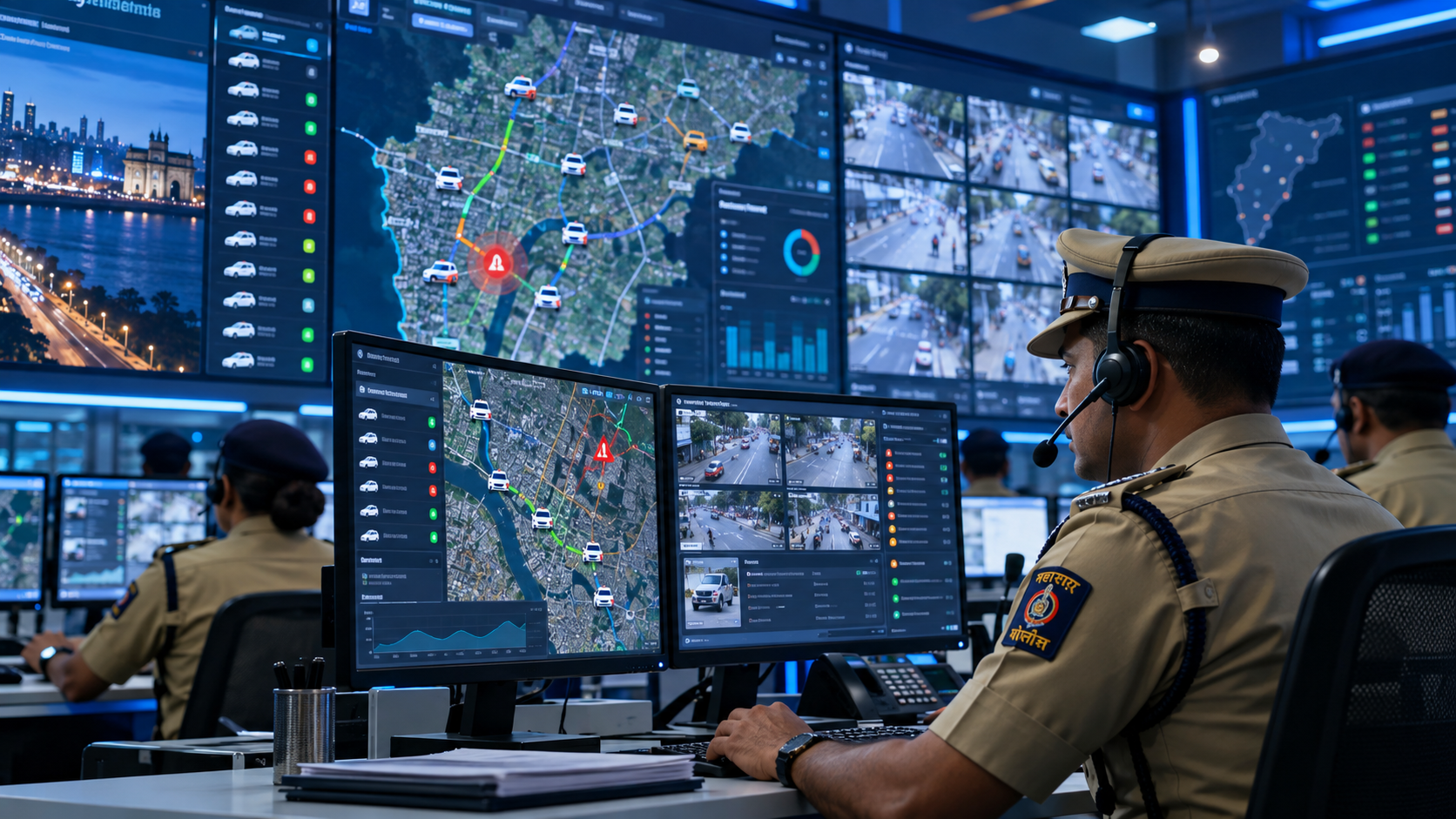
The Patrolling Management System is a web and mobile platform that plans police patrols, tracks them live through GPS and checkpoint scans, and records every incident reported from the field.
Patrolling is the backbone of street-level policing. Beat officers, Marshal bikes and patrol vehicles cover set areas to prevent crime, respond to calls and keep a visible presence. But without proper tracking, it is hard to know whether patrols actually covered their routes.
Live GPS Tracking

Every patrol team and vehicle on the control room's live map.

Checkpoint Scanning

QR / NFC scans with time and location as proof of every visit.

Patrolling Management System
Patrolling Management System Problem Statement
CHALLENGES BEFORE IMPLEMENTATION

Where the Previous Process Needed Improvement

  • No Reliable Proof of Patrol
  • Blind Control Room Without Live Locations
  • Slow Emergency Response
  • Uneven Coverage of Beats and Sensitive Spots
  • Manual Scheduling of Beats, Shifts and Vehicles
  • Incidents Recorded Late and Without Evidence
  • No Safety Net for Patrol Staff
  • No Data for Hotspot-Based Planning
The Solution

Solution We Provide

The system makes every patrol visible and verifiable: planned on a map, tracked by GPS, proved by checkpoint scans and backed by instant incident reports.

Beat & Route Setup

Draw beats and routes, and mark checkpoints such as banks, ATMs, schools and sensitive spots.

Patrol Scheduling

Assign staff, vehicles and shifts to beats, with instant notifications on the app.

Mobile Patrol App

Route view, GPS tracking, checkpoint scanning, incident reporting and SOS.

Live Monitoring

Control-room map with patrol locations, checkpoint status and alerts.

Incident Management

Log, assign and close incidents reported from the field.

Reports & Analytics

Coverage, missed checkpoints, incidents and crime hotspot trends.
Key Features

Patrolling Management Features

Map-Based Beat, Route & Checkpoint Setup

Patrol Scheduling with Staff, Vehicles & Shifts

Live GPS Tracking of Staff & Vehicles

QR / NFC Checkpoint Scanning

Incident Reporting with Photos & Location

One-Tap SOS for Emergencies

Coverage, Incident & Hotspot Reports

0
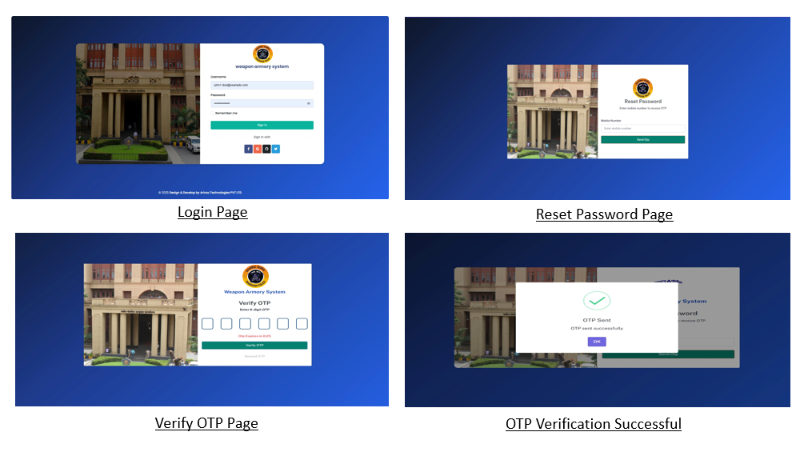
Patrol Workflow Pages
0
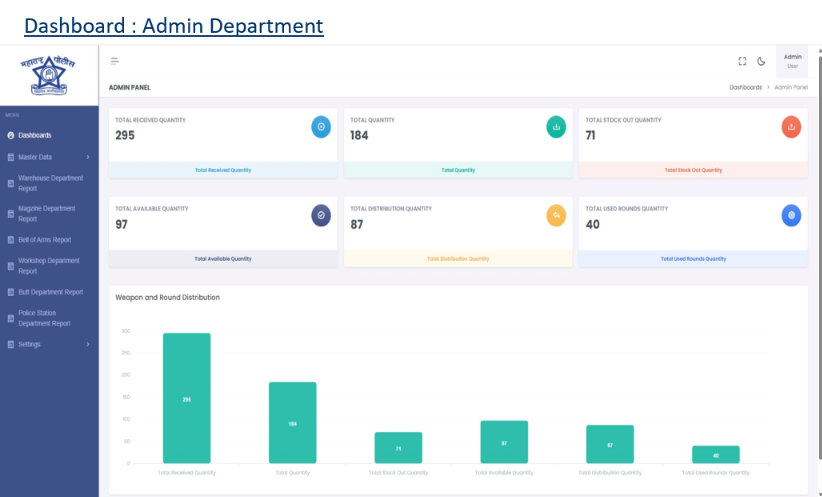
Core Management Modules
0
Centralized Admin Portal
0
Mobile Application
Frequently Asked Questions

Patrolling Management System FAQs

  • What does the system do?
    It helps police plan patrol beats, assign staff and vehicles, track patrols live, verify checkpoint visits and record incidents from the field.

  • Who uses it?
    The control room, station in-charges and supervisors on the web portal, and patrol staff such as beat constables and Marshal or vehicle crews on the mobile app.
  • How does checkpoint scanning work?
    A QR code or NFC tag is fixed at each checkpoint. The patrol officer scans it with the app, which records the time and GPS location as proof of the visit.
  • What happens if a checkpoint is missed?
    If a checkpoint is not scanned within its time window, the control room and the supervisor get an alert.
  • Is patrol staff location tracked all the time?
    No. Location is tracked only while a patrol is active on duty. Tracking stops when the patrol ends.
  • How does the SOS feature work?
    One tap on the SOS button sends an alert with the officer's live location to the control room, which can send the nearest patrol for help.
  • Can incidents be reported from the field?
    Yes. The officer fills a short form in the app with type, description and photos. The location and time are added automatically.
  • What if there is no internet in some areas?
    The app stores scans and reports offline and syncs them once the network returns, with the original time and location.
  • Can patrol vehicles be tracked too?
    Yes. Vehicles can be tracked through the crew's phone or a GPS device fitted in the vehicle.
  • How does it help plan better patrols?
    Incident heat maps and coverage reports show crime hotspots and under-patrolled areas, so supervisors can adjust beats and timings.
  • What reports are available?
    Beat coverage, checkpoint completion, missed checkpoints, patrol distance and duration, incidents by type and area, and hotspot trends.
Patrolling Management System

Have a question about the Patrolling Management System? Get in touch with our team to learn more.